
(English)
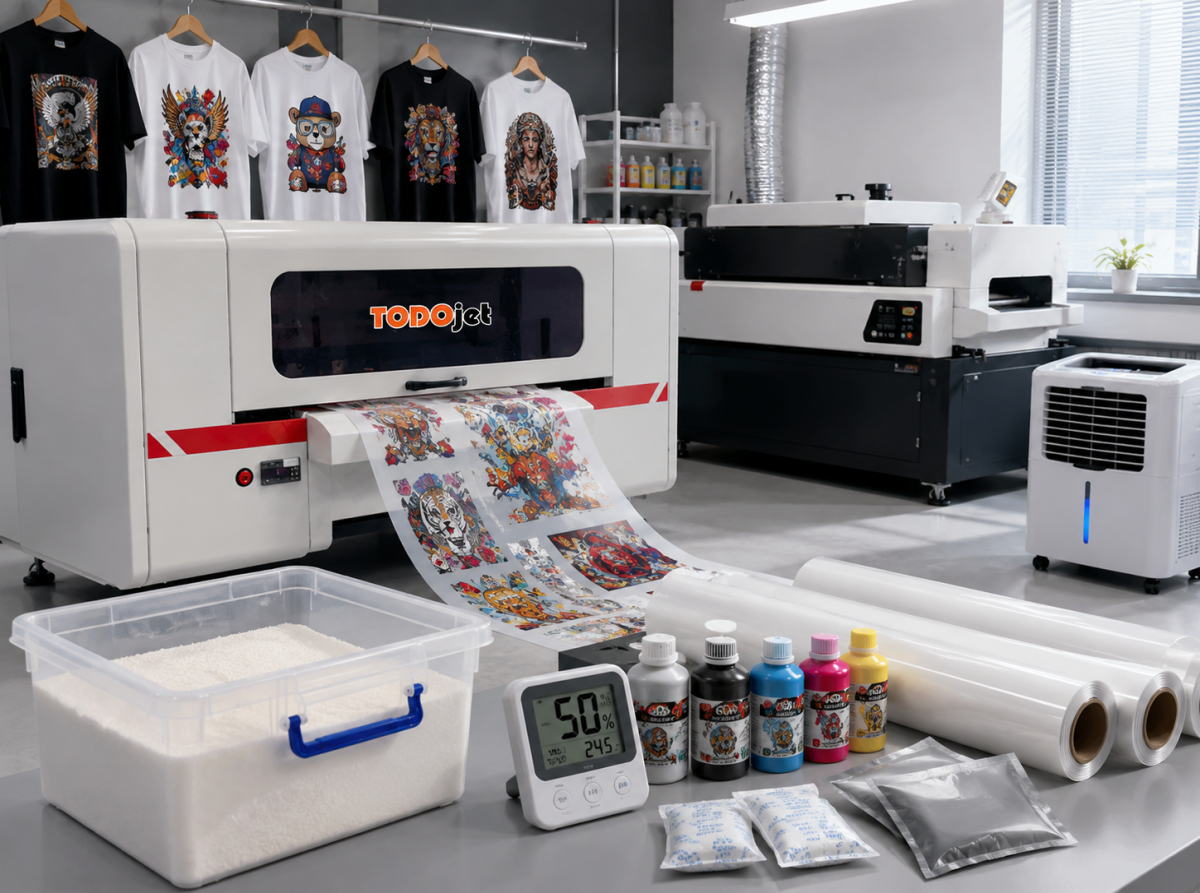
If your DTF prints sometimes look vibrant and sharp, but other times come out faded, streaky, or uneven, the problem may not be your printer at all. In many cases, the real issue is humidity.
A lot of DTF printing beginners spend money upgrading inks, PET film, RIP software, or even replacing printheads, only to realize later that unstable moisture levels inside the workspace were quietly damaging print quality the entire time.
Humidity affects almost every part of the DTF printing process — from ink flow and powder adhesion to PET film performance and printhead stability. Whether you use a compact A3 DTF printer at home or run a commercial TODOjet DTF printing machine for apparel production, moisture control is one of the most important factors for consistent results.
The ideal humidity range for DTF printing is usually between 45% and 55%. Within this range, DTF ink flows smoothly, adhesive powder cures evenly, and transfer films stay stable without absorbing excess moisture.
For anyone serious about custom t-shirt printing, garment decoration, or building a profitable DTF printing business, controlling humidity is not optional anymore. It is part of professional production.
DTF printing technology relies on precision. Tiny ink droplets must land accurately on PET film, adhesive powder must coat evenly, and curing temperatures must remain stable.
When humidity becomes too high, moisture enters the film, powder, and even the internal ink system of the DTF printer. This causes:
On the other hand, air that is too dry creates static electricity. Static can interfere with ink placement and film feeding, causing:
Even the best TODOjet DTF printer cannot fully protect itself from unstable environmental conditions. A controlled workspace is essential for achieving professional DTF transfer printing results.
Humidity problems usually appear slowly. Many operators do not notice the warning signs until print quality starts dropping.
Excess moisture can damage several parts of the DTF printing workflow.
When humidity rises, DTF ink becomes thicker and less stable. Ink circulation slows down, increasing the risk of clogged nozzles and inconsistent white ink output.
PET transfer film easily absorbs moisture from the air. Damp film may become wavy, sticky, or grainy, leading to poor image sharpness and weak transfers.
Hot melt powder reacts strongly to humidity. Instead of flowing smoothly, it starts forming clumps and melts unevenly during curing.
Dry environments create static electricity, especially during winter.
Static causes ink droplets to shift away from their intended position, leading to banding and inaccurate color placement. Dry air can also make PET film curl upward and attract dust particles that damage print quality.
If your TODOjet DTF printer suddenly starts producing inconsistent prints, humidity may be the hidden cause.
Professional DTF printing requires more than just quality equipment. Your environment matters too.
Here are the most useful moisture-control tools for DTF printing setups.
A dehumidifier is the most effective solution for high-humidity areas. It keeps the workspace stable and prevents moisture from damaging films, powders, and ink systems.
Even a small unit can dramatically improve DTF print consistency in home studios or small shops.
A hygrometer measures humidity levels in real time. Without one, you are simply guessing.
Maintaining humidity between 45% and 55% is critical for stable DTF transfer printing.
PET film and DTF powder should always be stored inside sealed containers. Airtight boxes prevent moisture absorption and extend material lifespan.
Silica gel packs help absorb excess moisture inside storage boxes and drawers. They are inexpensive but extremely effective for protecting DTF consumables.
Proper storage can significantly improve DTF print quality and reduce waste.
DTF transfer film is highly sensitive to humidity. To maintain optimal performance:
Moisture-damaged film often causes blurry prints, poor powder adhesion, and uneven transfers.
DTF inks also require proper care.
To protect ink quality:
Fresh ink helps maintain color accuracy, smoother gradients, and stable white ink circulation.
Consistent maintenance is one of the easiest ways to extend the lifespan of your TODOjet DTF printer.
Allow your DTF printer to warm up for several minutes before starting production.
This helps stabilize ink flow and removes overnight condensation from internal components.
Residual ink mixed with humidity often leads to nozzle blockage.
Use lint-free cleaning materials to gently wipe:
Frequent cleaning reduces clogging and improves print stability.
A quick nozzle test takes only seconds but prevents costly failed prints.
If missing lines appear, perform light cleaning immediately before continuing production.
Before turning off your TODOjet printer:
This helps prevent overnight moisture damage and extends printhead life.
Whether you run a home-based startup or a growing garment printing company, your workspace layout directly impacts production quality.
A professional DTF printing room should include:
For small studios or apartment setups, vertical shelving can help save space while keeping materials organized and protected.
Portable dehumidifiers work especially well for A3 DTF printer users with limited workspace.
Weather conditions constantly change, so your moisture-control strategy should change too.
During humid months:
Heavy humidity can quickly reduce DTF transfer quality.
Cold weather introduces static electricity problems.
During winter:
Balancing humidity is important in every season.
Unstable humidity affecting ink flow.
Moisture absorbed into PET film.
Moisture contamination in powder or film.
Humidity may seem invisible, but it directly affects DTF printing quality, printer lifespan, and production efficiency.
By creating a stable environment and following simple daily maintenance routines, you can dramatically improve print consistency while reducing waste, nozzle clogs, and expensive repairs.
Whether you operate a small A3 TODOjet DTF printer at home or manage a full-scale custom apparel production business, moisture control is one of the smartest long-term investments you can make.
Better humidity control means:
In DTF printing, success is not only about having a good machine. It is about creating the right environment for that machine to perform at its best.
 WhatsApp me


